
Key points at a glance
- Google Search Console is free and shows which searches your website appears for and how often it is clicked.
- The Google Business Profile counts calls, direction requests and website clicks from Search and Maps.
- Privacy-friendly analytics without cookies usually work without consent; Google Analytics generally needs a cookie banner.
- The most important metric is enquiries and calls. Ask every new contact: “How did you hear about us?”
- A 15-minute monthly report with five numbers is enough. Page views alone are not a measure of success.
This post is general information, not legal or tax advice for your individual case. Laws, professional guidelines and chamber fees change: check the details with your chamber, the relevant authority or your professional association before you make a decision.
Why measure, and what exactly?
A firm website is not an end in itself. Its job is to make sure the right people find you, come to trust you and get in touch. Measuring therefore doesn't mean collecting as many numbers as possible, but answering three questions: Are we found? Are we clicked? Do people contact us afterwards?
Each of these questions has a matching source. Search Console shows your visibility in Google Search, the Google Business Profile your visibility on the map, and analytics what happens on the website. No tool fully answers the last question: whether a visit turns into a client, you find out on the phone and in your inbox.
| Question | Source | Key numbers |
|---|---|---|
| Are we found in search? | Google Search Console | Impressions, average position, search queries |
| Are we clicked? | Search Console, Google profile | Clicks, click-through rate, website clicks from the profile |
| What do visitors do on the website? | Analytics | Most visited pages, where visits come from |
| Do people get in touch? | Phone, inbox, contact form | Enquiries per month and where they came from |
Google Search Console: what Google reveals about your website
Google Search Console is the most important free tool for any firm website. It doesn't show what visitors do on your site, but what happens before: which searches your pages appear for in Google's results, in which position and how often someone clicks. Because the data comes from Google itself and nothing is added to your website, you don't need your visitors' consent.
Verify your website
Create a domain property and verify ownership with a DNS record at your domain provider. Your agency or host usually does this in a few minutes.
Submit your sitemap
Enter the address of your sitemap so that Google knows all your pages, including new articles and pages on your fields of activity.
Read the performance report
Under “Performance” you see clicks, impressions, click-through rate and average position, filterable by query, page, country and device. The data goes back 16 months.
Turn on notifications
Google emails you when pages cannot be indexed or other problems occur. Someone in the firm should actually read these emails.
The most revealing part is the list of queries. It shows the words people use to find you: “steuerberater gmbh gründung” (tax adviser for setting up a GmbH), “anwalt kündigung frist” (lawyer, notice period), “notar kosten wohnungskauf” (notary fees for buying a flat). If a query has many impressions but hardly any clicks, the page title or description often doesn't fit. If an important service doesn't appear in the list at all, a dedicated page is usually missing. Google hides very rare queries for privacy reasons, so the sum of individual queries is lower than the total.
For Bing, Bing Webmaster Tools offers something comparable, and you can import your site from Search Console in a few clicks. No tool yet reliably measures how you appear in answers from AI assistants. Visits that come from there do show up in your analytics as a source, though. More on this in the guide to AI search.
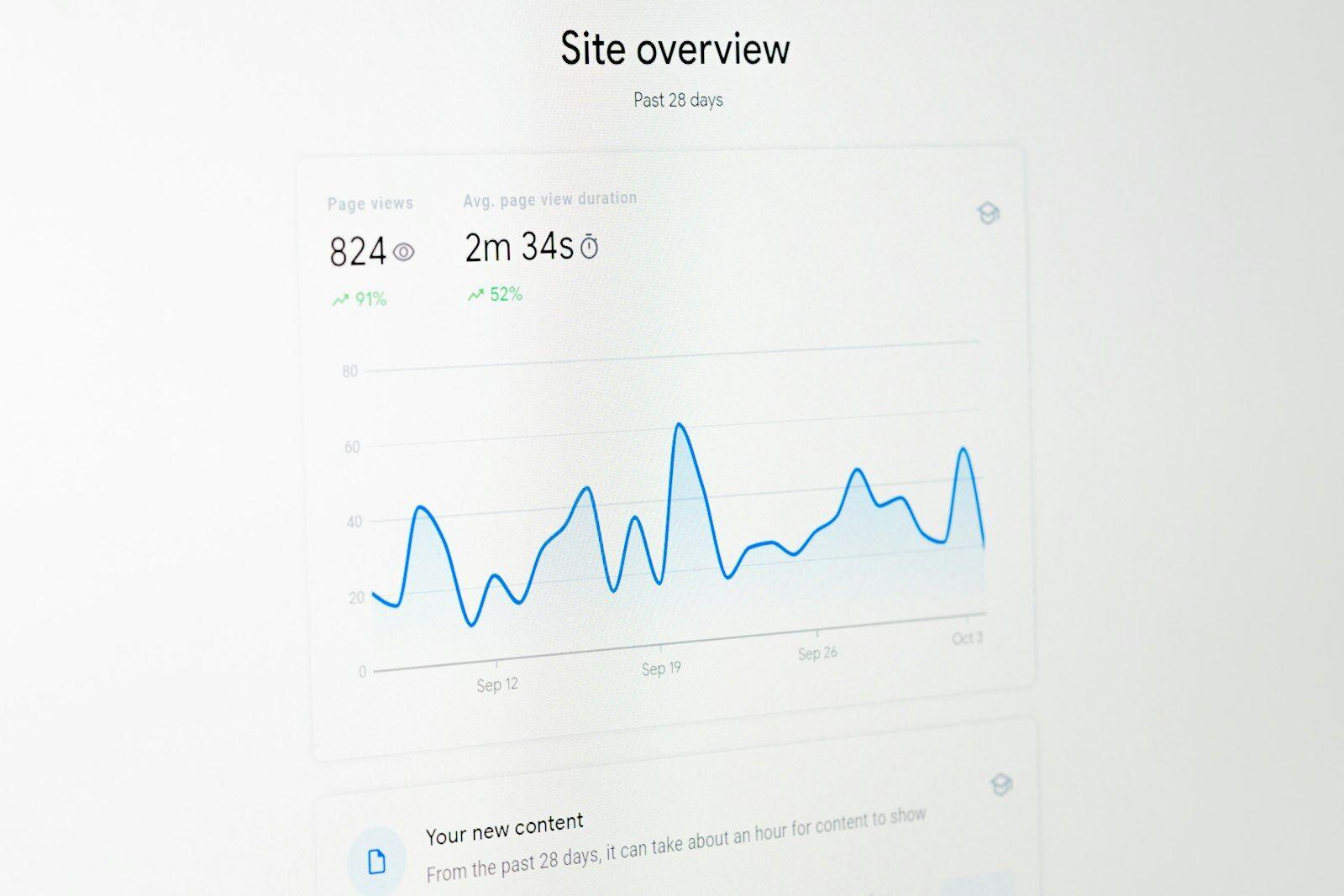
Performance data in the Google Business Profile
For many firms, more first contacts come via the map than via the classic search results. Under “Performance”, the Google Business Profile shows how often your profile was viewed in Search and Maps, which search terms people used to find it and what they did next: called, planned a route or clicked the website link.
- Calls count taps on the call button, mostly on smartphones. Google doesn't know whether the call actually happened.
- Direction requests are a good indicator of in-person appointments, especially for notaries and firms with a lot of walk-in clients.
- Website clicks lead to your site. Add campaign parameters (utm_source, utm_medium, utm_campaign) to the website link in the profile so that your analytics report these visits separately.
- Search terms show whether people find you by your name or by terms such as “Steuerberater in der Nähe” (tax adviser near me).
Analytics: privacy-friendly or with consent
If you want to know which pages are read and where visits come from, you need analytics on the website. This is where it is decided whether you need a cookie banner. Under § 25 TDDDG in Germany and § 165(3) TKG 2021 in Austria, storing or accessing information on visitors' devices generally requires consent, unless it is strictly necessary for the service requested. Analytics is not. The guide to cookie banners explains the details.
| Approach | Consent | Advantage | Disadvantage |
|---|---|---|---|
| Privacy-friendly analytics without cookies (e.g. Matomo without cookies, Plausible) | widely considered not necessary if nothing is stored on or read from the device | complete numbers, no banner, lightweight | less detail, no recognition of returning visitors over days |
| Evaluating server log files at your host | not necessary | no additional script | rough, bots distort the numbers |
| Google Analytics with a cookie banner | necessary, before loading | very detailed, free | banner on every page, numbers only from those who agree |
For most firms, privacy-friendly analytics are enough. You don't want to know who visits your site, but which content works. Even without consent, analytics need a legal basis under the GDPR, usually legitimate interest, and a paragraph in the privacy policy. Check with your agency that IP addresses are truncated or not stored at all and that the provider offers a data processing agreement.
Google Analytics is more powerful, but rarely necessary for a firm with a few hundred visits a month. With a banner, everyone who declines is missing from your numbers, and that is often a large share. In a decision of December 2021, published in early 2022, the Austrian data protection authority objected to the use of Google Analytics because of data transfers to the USA; since July 2023 there has been the EU-US Data Privacy Framework, which Google has joined. If you use Google Analytics, you still need proper consent and a complete privacy policy.
The metric that counts: enquiries
All the numbers so far are preliminary stages. What you really want to know is: how many people got in touch this month, and where did they come from? No tool delivers this number by itself, because many enquiries come by phone and most people combine several routes. Someone hears your name from an acquaintance, searches for it on Google, reads two pages and calls the next day.
Count every enquiry
Contact form, email, phone call, online booking: keep a simple list or a field in your practice software where every new enquiry is entered, including those that don't turn into a mandate.
Ask how they found you
In the first conversation or on the phone: “How did you hear about us?” The answers (referral, Google, Google Maps, directory, article, LinkedIn) are noted down.
Optional field in the form
An optional drop-down field in the contact form with the same answers. Don't make it mandatory: that costs enquiries and goes against data minimisation.
Add it up monthly
At the end of the month: number of enquiries, broken down by source, and how many of them matched your practice profile.
What matters is not just the quantity but the fit. Twenty enquiries about areas of law you don't handle are not a success. If a page brings in many unsuitable enquiries, sharpen the description of whom you work for. How to describe fields of activity clearly is covered in the guide to fields of activity. For notaries, who do not solicit clients, the question is a different one: do the parties find the factual information on procedure, documents and fees, and do they arrive at the appointment well prepared?
Lots of impressions, few clicks?
Check page titles and descriptions the way Google shows them on desktop and smartphone, and improve the click-through rate of your most important pages.
The 15-minute monthly report
Measuring is only worthwhile if it happens regularly and leads to decisions. A fixed slot at the start of the month, a table with five rows and one sentence on what you will change are enough. Compare with the previous month and, once available, with the same month last year. Firms have strong seasonal swings: tax advice before filing deadlines, family law after the holidays, notaries before the end of the year.
Five numbers for the monthly report
- Total enquiries and by source (from your own list)
- Clicks and impressions in Search Console, excluding queries with your name
- The three queries with the biggest increase or decrease
- Calls, directions and website clicks from the Google Business Profile
- The five most visited pages in your analytics, and whether your key service pages are among them
Under the numbers, write down a single action for the next month: revise a page title, create a missing service page, add a new photo to the Google profile. Over a year, that adds up to twelve small improvements, and you can see which ones worked. How to plan such actions over the year is described in the plan for more visibility.

Numbers that only look good
Some metrics feel like success but say little about whether the website is doing its job. They lead to wrong decisions, such as blog posts on topics that many people read but nobody hires you for.
How to get it right
- Track enquiries and their sources as your main metric
- Watch queries without your name separately
- Compare with the same month last year to even out seasonal effects
- Check whether the pages for your key services are being found
- Wait a few weeks after each change before judging it
Better avoid
- Treating total page views as success: bots and job applicants count too
- Checking your position for a single word like “Rechtsanwalt” (lawyer) every day
- Confusing follower numbers on social networks with clients
- Judging bounce rate or time on page in isolation: anyone who finds your phone number and calls leaves the page immediately
- Paying for ranking reports that don't show enquiries
Be wary of paid ranking promises too. Positions vary by location, device and search history, and a page in first place for a word that hardly anyone searches for brings nothing. Search Console shows the average position across all actual searches, which is more honest than any single check.
How to get started
You don't need a budget, just an hour for the setup: verify Search Console, open the performance data in your Google profile, have privacy-friendly analytics installed and set up a list for enquiries. From next month, add the 15-minute report. After three to six months you'll see which pages carry the load and where things get stuck. What makes a good page is described in the guides to firm website content and local SEO.
A website you can measure
Our firm websites come with Search Console set up, privacy-friendly analytics without a cookie banner and a contact form with an optional “how did you find us” question. Request a free preview.
A no-obligation preview of how your firm website could look with us.
Sources
- Search Console Help – Performance report (Search results)
- Google Search Central – How to use Search Console
- Google Analytics Help – Collect campaign data with custom URLs
- Telekommunikation-Digitale-Dienste-Datenschutz-Gesetz § 25 (Germany)
- RIS – Telekommunikationsgesetz 2021 § 165 (Austria)
- General Data Protection Regulation (EU) 2016/679
- Datenschutzkonferenz – guidance, including for providers of digital services
- EUR-Lex – Implementing Decision (EU) 2023/1795 (EU-US Data Privacy Framework)